Skip to content

Sheru Bhai Photo — Ivory Royal Palace

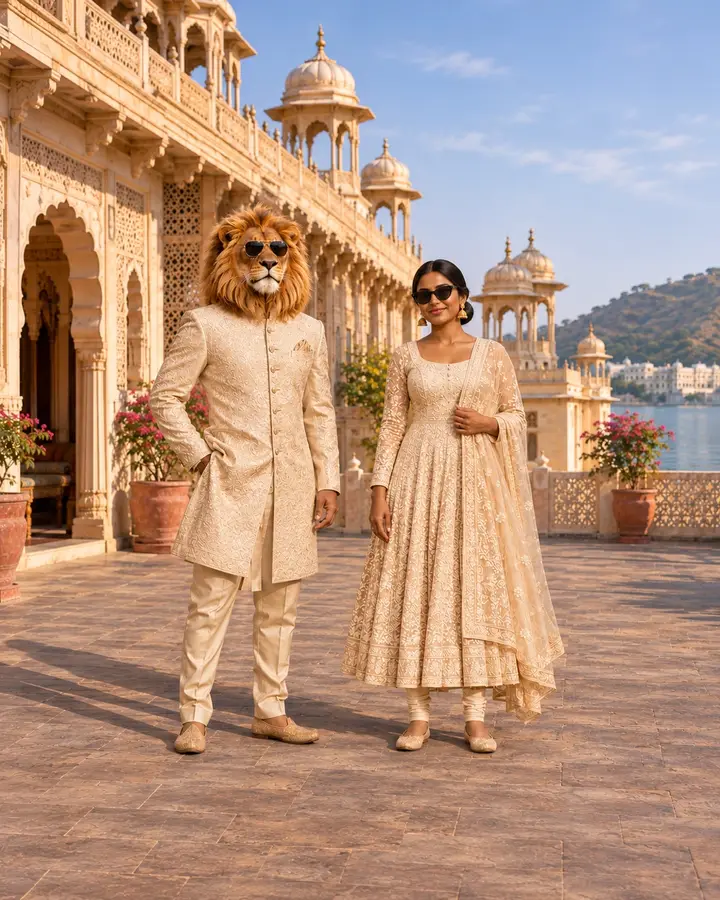
Sheru Bhai Photo — Ivory Royal Palace is a royal AI portrait with your human face beside a golden lion at a Rajasthan lakeside palace, with ivory embroidered clothing and a separate standing pose.

Upload one photo and select this effect. No prompt needed. One generated image costs $1.99 USD.

THE PHOTO STUDIOOne photo. $1.99.
1

Start with your photo

2

Pick your main character moment

YOUR NEXT PROFILE PHOTOAI style preview

Sheru Bhai Photo — Ivory Royal Palace

Sheru Bhai Photo — Ivory Royal Palace template in the comparison slider
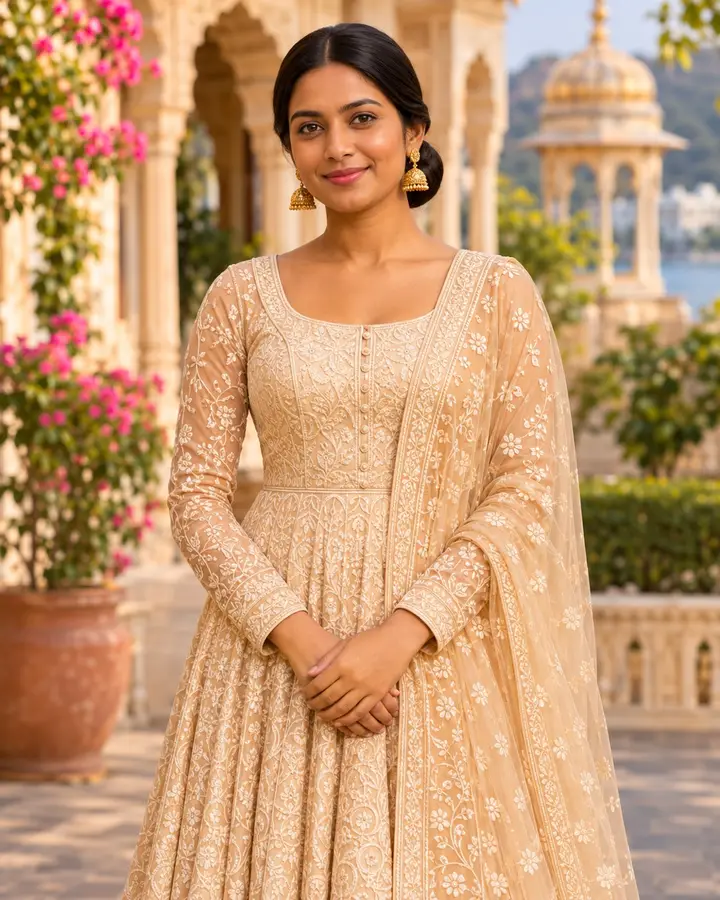
Sheru Bhai Photo — Ivory Royal Palace single-person reference without sunglasses
Sample photoSheru Bhai Photo — Ivory Royal Palace

Matching ivory embroidery and an elegant lakeside palace portrait.

Template preview. Your generated image will use your uploaded photo; facial details and other elements may vary.

Choose a size

3:4 portrait · Ready to post on social media · No watermark

$1.99 USD per image · No signup · One-time payment

What is Sheru Bhai Photo — Ivory Royal Palace?

A royal AI portrait with your human face beside a golden lion at a Rajasthan lakeside palace, with ivory embroidered clothing and a separate standing pose.

Sheru Bhai Photo — Ivory Royal Palace Prompts

Two creative notes for this preset. The generator applies the selected scene automatically.

Scene direction

Stand separately beside a fictional golden lion in an ivory embroidered sherwani at a Rajasthan lakeside palace. An ivory anarkali, natural standing pose and warm afternoon light create an elegant portrait that keeps your facial identity.

Identity direction

Keep the uploaded adult’s recognizable face and natural skin tone. The person stays human beside a separate fictional lion.

Read the full prompt and photo guide

How to Create Sheru Bhai Photo — Ivory Royal Palace

Step 1 — Upload Your Photo

Choose one clear adult portrait in JPEG, PNG or WebP, up to 8 MB and 256–4096 pixels per side.

Step 2 — Select This Effect

Check the template, confirm permission to use the photo and pay $1.99 USD once. No account or subscription is required.

Step 3 — Download Your Image

Return to your private order page to check progress and download the finished file. Save it before order access expires after 30 days.

Sheru Bhai Photo — Ivory Royal Palace FAQ

What does the Ivory Palace effect create?

Your uploaded identity is used for a royal portrait with a fictional lion companion at a lakeside palace. The $1.99 USD output is one 3:4 or 9:16 still image; it includes no video, speech or music.

Will my face stay human in the Ivory Palace effect?

Yes. Your face stays human. Only the right-side template person is replaced using your uploaded photo; the lion remains a separate fictional companion.

Do I need to paste a prompt for this effect?

No. Select this effect and upload one photo. The matching template image and preset are applied automatically for $1.99 USD per generated image.

What clothing and setting does the Ivory Palace template use?

The human wears an ivory anarkali, while the lion wears an ivory embroidered sherwani. Rajasthan palace architecture, a lake and warm afternoon light surround the separately standing figures.

How does the lion pose beside me in Ivory Palace?

In Ivory Palace, the human and lion stand separately. There is no arm across the shoulder in this template.

Can I upload a black-and-white portrait for Ivory Palace?

Yes, a clear black-and-white portrait can be used for Ivory Palace, but a well-lit color photo gives a better reference for your skin tone. The result uses the template’s colors; it will not preserve a monochrome style. Use one visible adult face in JPEG, PNG or WebP format.

Sheru Bhai Photo — Ivory Royal Palace Example

Sheru Bhai Photo — Ivory Royal Palace template
Selected template. Your generated result uses your uploaded identity, and fine details may vary.

More Photo Effects and Prompts